
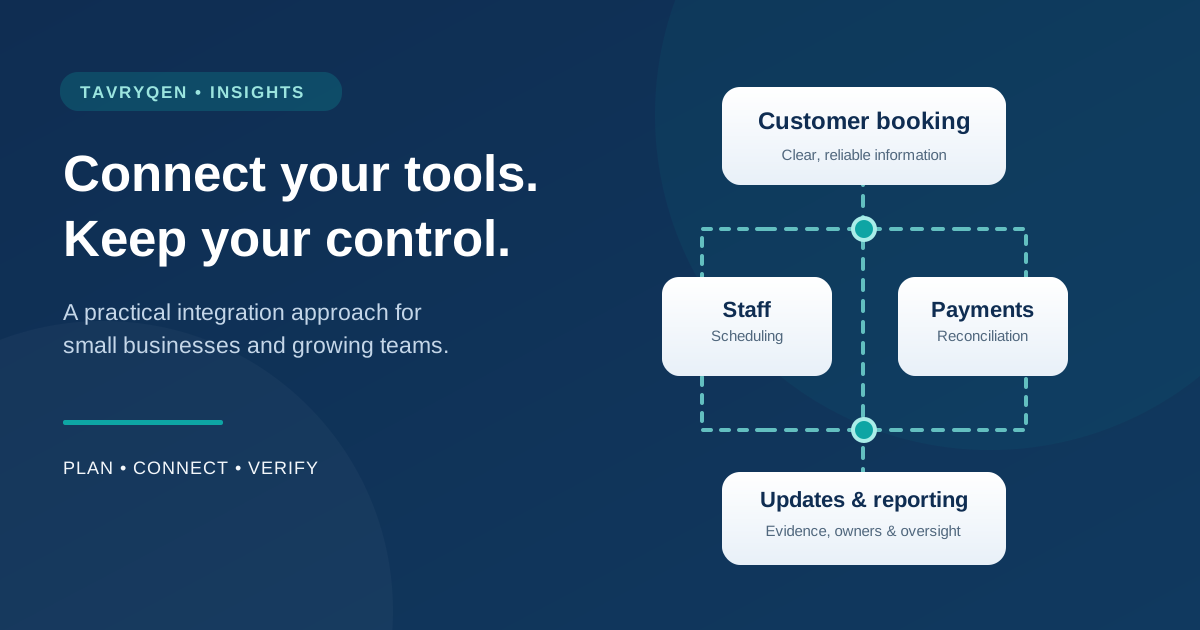
When a small technology decision becomes an operating problem
For many small businesses, disconnected software emerges from practical decisions made at different times, rather than from one deliberate plan. It starts with a website, adds a booking tool, chooses a payment provider, opens an email account and adopts a spreadsheet to track customers. Each purchase solves an immediate problem. Six months later, the owner is entering the same information into three systems and cannot confidently answer a simple question: which record is correct?
The problem is not necessarily that any individual application is poor. It is that the applications are making promises to one another which nobody has written down. A confirmed appointment may not appear on the staff rota. A deposit may reach the payment provider without being matched to a booking. A customer may ask to stop receiving reminders, but the change is recorded in only one place.
Businesses often respond by looking for an integration. Connecting two systems can help, but it can also make an unclear process faster, more complicated and harder to reverse. The most valuable first step is to map the outcome the business needs, the information required to achieve it and the people who remain responsible.
The real bill is larger than the software subscriptions
The visible cost of a disconnected technology estate is usually the subscription total. The less visible cost is the time, correction work and uncertainty created between tools. A receptionist might spend ten minutes reconciling the appointment calendar with payment records. A manager might spend an hour producing a weekly report because the customer database and till system use different categories. A customer might receive the wrong follow-up because a record did not update.
These costs are worth measuring before any vendor discussion. For one week, record repeated entry, manual transfers, corrections, delays and customer-facing mistakes. Use actual working time rather than guesses about how productive someone ought to be. Distinguish activity from lost revenue: a delayed message is not automatically a lost booking, and a missed booking is not automatically proof that a new platform would have saved it.
The result is a realistic investment case. If an integration saves only a few minutes in a rarely used process, it may not justify its maintenance. If a duplicated handoff repeatedly affects the busiest operating hour, the case may be stronger. The decision belongs to the operation, not the software catalogue.
Start with one complete customer journey
A useful map begins with a real event and follows it to completion. Consider a barbershop appointment. The customer selects a service, chooses a member of staff, books an available time, pays a deposit, receives a confirmation, attends the appointment, settles any remaining charge and receives a suitable invitation to rebook.
At every stage, ask four questions. What changes? Which system records the change? Who can correct it? What happens if the next step fails? Add the exceptions that staff already know: a booking is rescheduled, a deposit is reversed, someone calls rather than uses the website, or a staff member becomes unavailable at short notice.
Represent the journey in ordinary language before drawing boxes and arrows. The objective is not a perfect diagram. It is an agreed account of how the business works. Give the people who perform the work a chance to correct it. They often know why a manual step exists, and that knowledge can prevent a costly automated mistake.
Decide which system owns each piece of information
When two applications both claim to manage a customer record, disagreements become inevitable. Create a simple information-ownership table. The booking system might own the appointment time and assigned team member. The payment processor owns the authoritative transaction status. The customer relationship system may own communication preferences. An inventory application may own current stock quantities.
Ownership does not mean no other system may display the information. It means there is one defined place where a change should be made, together with rules for how other systems receive it. Where data must flow in both directions, be explicit about conflict resolution. If a booking is changed at the same time in two systems, which event wins, and who is told?
Record the field names and identifiers that connect records. A customer email address may change, while a stable internal customer identifier can remain the same. A booking reference must not be confused with a payment transaction reference. If identifiers are missing or reused, an apparently successful integration can quietly update the wrong record. That is an operational error and potentially a security incident.
Write the rules before connecting the systems
A connection is only as trustworthy as the rules governing it. For each event, document the trigger, required information, decision points, destination, expected confirmation and exception process. Specify whether the operation is safe to repeat. Payment collection, booking creation and message sending deserve particular attention because an unnoticed retry can produce duplicate charges, appointments or communications.
For example, the instruction “send a confirmation when a deposit is paid” sounds clear until a customer pays twice, a transaction remains pending, or the payment provider reports success while the booking tool is unavailable. A stronger rule identifies the booking, the particular payment event, the acceptable states and how duplicate events will be recognised.
Separate deterministic work from professional judgement. A routine confirmation can often be automated. Deciding whether to waive a cancellation fee, refund a disputed charge or share sensitive customer information may require a person. Build those human decisions into the route instead of treating them as inconvenient exceptions to be handled later.
Security should be part of the design, not a final checkbox
Every additional connection can introduce credentials, application permissions and another route to customer or business data. Grant integrations only the rights they need. A reporting tool that merely reads appointment totals should not receive permission to edit customers or issue refunds. Keep personal user accounts separate from service identities, and retain the ability to revoke access quickly.
The OWASP API Security Top 10 highlights failures such as broken object-level authorisation and broken authentication. In practical terms, an application must check whether a caller is permitted to access a particular record, not merely whether the caller knows its identifier. An integration that processes one customer’s booking must not be able to read another customer’s details because an identifier was changed.
Treat supplier onboarding as a security decision. Ask how access is authenticated, what events are logged, how permissions are reviewed, which subcontractors receive information, how an incident will be communicated and how data can be exported if the relationship ends. NIST’s Cybersecurity Framework 2.0 provides a useful way for small organisations to connect such decisions to governance, protection, detection, response and recovery.
Use customer information carefully
Not every system needs every customer field. A reminder service may need a contact route, the appointment time and enough context for an accurate message. It may not need a full purchase history, internal notes or information unrelated to the reminder. Sharing less reduces the effect of errors and creates fewer copies to correct or delete.
Make communication preferences meaningful. A customer who opts out of promotional messages may still receive necessary service communications where appropriate, but the business should distinguish the purposes and apply applicable law and consent requirements. Never assume a generic subscription checkbox covers all uses in every country. If a customer asks for a correction or deletion, know which connected systems hold the data and which records must be retained for legitimate reasons.
The UK Information Commissioner’s Office explains data protection principles including purpose limitation, data minimisation, accuracy, storage limitation and accountability. The precise obligations differ by jurisdiction and processing context, but these questions are good design discipline even where a specific regulation does not apply. Seek qualified advice for regulated or cross-border processing.
Choose integration methods in the right order
The simplest reliable connection is often a supported integration maintained by the vendors involved. Check that it covers the actual fields, status changes and exceptions identified in the journey map. A convenient marketing demonstration is not evidence that a connector handles reversals, time zones, duplicate events or deleted records.
Where a supported connector is insufficient, a carefully designed API integration may give more control. It also creates ongoing responsibility for authentication, changes to vendor interfaces, retries, monitoring and security updates. Periodic file transfer can be appropriate for some low-frequency reporting tasks but is poorly suited to changes that staff expect to appear immediately.
Avoid building custom technology merely because it is technically possible. Compare the operational value, maintenance workload, access permissions, data portability and exit path of each option. If a manual process is low risk and occurs once a month, documenting it may be the better solution. An integration earns its place when it reliably improves a measured outcome.
Design for failure before the first live transaction
A business process does not stop being important when the internet connection is unreliable, a vendor has an outage or a token expires. Decide in advance how the team will notice a failed transfer and what they should do until it is restored. A booking should not silently disappear merely because the notification service is unavailable.
Use clear states such as received, awaiting confirmation, completed, failed and needs review. Keep failed events in a controlled queue when the platform permits it. Apply bounded retries and alert a named owner when recovery fails. Do not retry financial or other consequential actions blindly. Sometimes the safe response is to stop and reconcile rather than to keep sending requests.
Plan an orderly manual fallback. Staff should know which record remains authoritative, what information they may record temporarily and how to reconcile it later. Test an integration outage in a safe environment. A failure rehearsal teaches more than a dashboard claiming 100 per cent success during a quiet afternoon.
Make operations observable without creating surveillance
A useful dashboard tells an operator what matters: the last successful sync, the number of items awaiting action, failed transfers, exceptions that need a decision and the business process affected. Developers may need technical traces, but an owner should not have to decode a raw error log to learn whether tomorrow’s appointments are accurate.
Assign a correlation identifier to a transaction when possible so a booking, payment and confirmation can be traced across systems. Protect the resulting logs. Do not fill them with full payment details, passwords, access tokens or unnecessary customer notes. Decide how long operational evidence is needed and who can view it.
Measure missing activity as well as visible failures. If appointment updates normally arrive throughout the day and none have arrived for hours, silence may be the warning. Agree on a reasonable threshold based on the business’s real operating pattern. Not every quiet period is an incident, and noisy alerts can be almost as damaging as no alerts at all.
Measure outcomes, not just automation activity
A team may proudly report that a workflow ran ten thousand times. That tells you little about whether the organisation became easier to operate. Define a small set of measures before the change, then compare the results after a representative period.
Useful measures might include time spent on manual reconciliation, percentage of appointments needing correction, failed message deliveries, time to resolve payment mismatches, and customer complaints connected with booking errors. Check measures against actual records rather than relying entirely on the new system’s own performance claims.
Look for unintended consequences. Faster messaging may create more responses for staff to manage. A technically successful automated reminder may send an inappropriate message after a cancellation. A reduction in work for one team may increase work for another. Business improvement is a whole-journey result, not a single system metric.
A practical sixty-day improvement plan
During the first fortnight, observe one representative customer journey, record current time and error costs, identify the systems involved and interview the people who complete the work. Write down which steps are most frustrating, what happens when they fail and whether a reliable manual workaround already exists.
Over the next two weeks, agree on information ownership, acceptable data sharing, security permissions, the intended integration method and the human approval points. Build a small test using representative but non-sensitive data. Check ordinary operations, duplicated events, cancellations, delayed updates, failed logins and recovery after a connection is lost.
In weeks five and six, pilot the revised process with a limited group. Keep the existing fallback available, train staff and compare performance against the baseline. Adjust the workflow and its alerting before expanding.
Use the final fortnight to review security access, retention, customer communications and operational results. Document the owner, support route, vendor dependencies and rollback path. Decide whether to scale, revise, pause or abandon the integration. Stopping an unhelpful project after a careful pilot is responsible management, not a failed transformation.
Questions to ask before approving another connection
Before a purchase or integration is approved, the owner should be able to answer these questions:
- Which specific customer or operational problem will this solve?
- How often does the problem occur and what does it currently cost?
- Which system is authoritative for each affected record?
- What personal or confidential information will move, and why?
- What can the connected application read, change or delete?
- How will duplicate, delayed or failed events be detected and resolved?
- Which decisions require human review?
- How will staff work during a supplier or internet outage?
- How will results be measured after the change?
- Can the business export its information and remove the connection later?
These questions apply just as readily to a two-person consultancy as to a growing chain of service businesses. The answers may fit on one page. What matters is that they are understood and revisited when the process or the supplier changes.
The better outcome is an organisation you can understand
A connected platform can be valuable. It can reduce repeated work, improve the customer’s experience and give managers a clearer view of operations. But connections should make the business more understandable, not conceal complexity behind a collection of automated tasks.
Before adding another application, choose one journey, name the owner of each important record, decide what happens when things go wrong and identify the evidence that would prove an improvement. Then connect only what needs connecting. The result may be a sophisticated platform or a handful of carefully selected tools. Either can be the right architecture if the business retains control, clarity and the ability to change course.
References
- NIST SP 1300, Cybersecurity Framework 2.0: Small Business Quick-Start Guide (2024)
- OWASP API Security Top 10 (2023)
- UK Information Commissioner’s Office, A Guide to the Data Protection Principles (accessed October 2026)
- UK Information Commissioner’s Office, Data Minimisation
Related Tavryqen resources
Explore technology for small businesses and the Salon & Barber demonstration.